

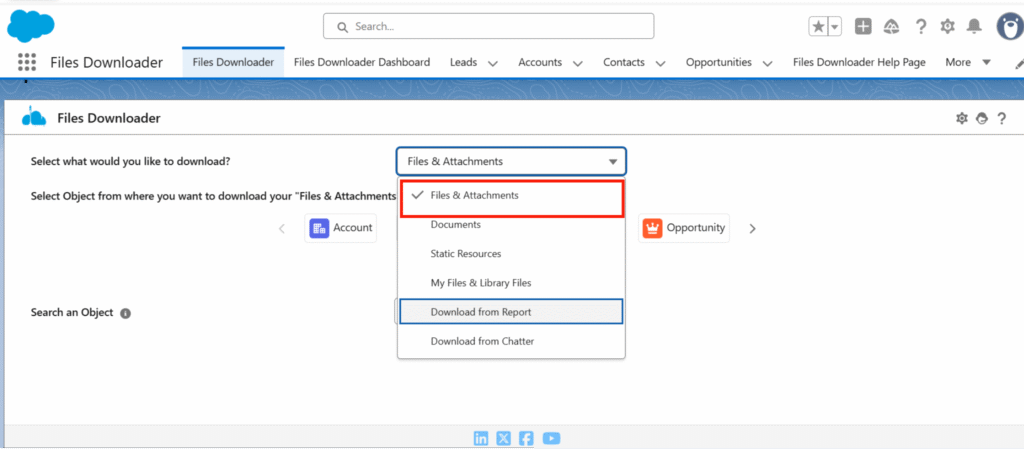
This guide outlines all file types supported by Files Downloader for Salesforce, including Salesforce Files, email attachments, and various document formats.
Thank you for reading this post, don't forget to subscribe!Supported File Categories #
1. Salesforce Files (ContentDocument) #
The app supports downloading all files stored as ContentDocument records in Salesforce.
2. Email Attachments (EmailMessage) #
You can export attachments added to EmailMessage records, including files linked to Cases, Contacts, Leads, and custom objects.
Supported File Formats #
Files Downloader supports all major file types, including but not limited to:
- TEXT / CSV
- APPLICATION/PDF
- TEXT/PLAIN
- IMAGE/PNG
- TEXT
- PNG
- WEBP
- JPG
- CSV
- UNKNOWN (Files which doesn’t have any Extensions)
Notes #
If you want to learn how to download different types of files using Files Downloader, watch this tutorial: https://youtu.be/tVo5ABjoRjI
- All standard Salesforce file types under ContentVersion, ContentDocument, and EmailMessage attachments are supported.
- Files Downloader preserves names, extensions, and metadata during export.


