

Published 2026/08/10
Thank you for reading this post, don't forget to subscribe!Issue #
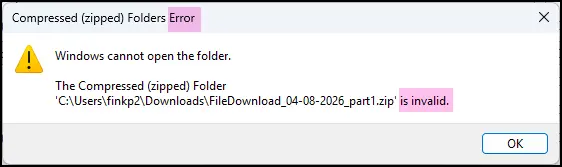
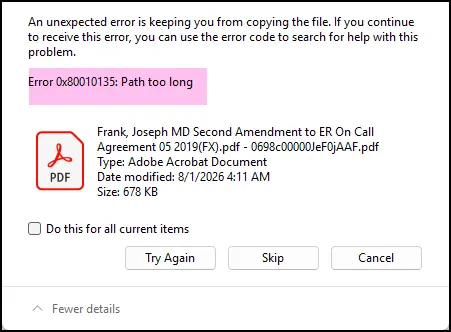
When downloading a large number of files or files with long folder/file names, Windows may display errors such as:
- “Path too long”
- “Windows cannot open the folder”
- “The Compressed (zipped) Folder is invalid”
For example:
Error 0x80010135: Path too long
or
The Compressed (zipped) Folder is invalid.
This can occur when the complete file path—including the folder structure and file name – becomes too long for Windows File Explorer to process.
Recommended Solution #
If you encounter this issue, we recommend using 7-Zip to extract the downloaded ZIP file instead of Windows File Explorer.
After installing 7-Zip:
- Right-click the downloaded .zip file.
- Select 7-Zip.
- Select Extract Here or Extract to….
- Choose a location with a shorter folder path if necessary.
Tip #
If the issue continues, try moving the ZIP file to a shorter location, such as:
C:\Downloads\
and then extract it using 7-Zip.
Bulk Combining PDFs #
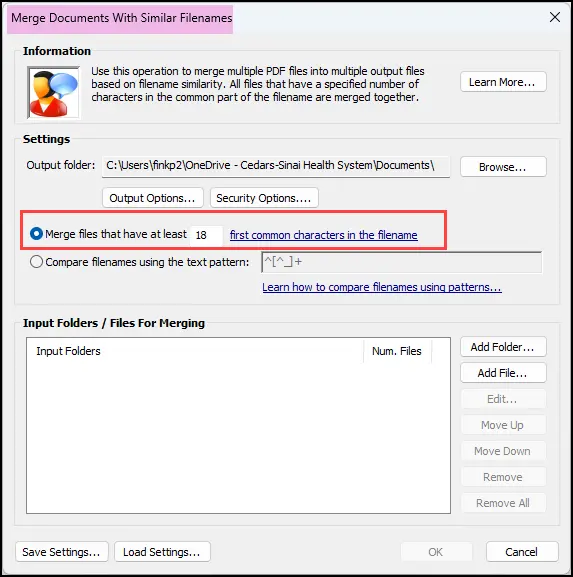
If you need to combine multiple PDFs belonging to the same Salesforce record into a single PDF or PDF Portfolio, a tool such as Evermap AutoSplit can be used.
Recommended File Naming Structure #
For easier bulk processing, we recommend placing the Salesforce Record ID at the beginning of the folder or file name.
For example:
001XXXXXXXXXXXXXXX_Agreement
or
001XXXXXXXXXXXXXXX_Agreement.pdf
Using the Record ID at the beginning makes it easier to identify files belonging to the same Salesforce record and apply filename-based grouping.
The Scheduled Download feature now supports including the Record ID in folder names to help with this workflow.
Bulk Renaming Files and Folders #
If you need to rename a large number of downloaded files or folders, Rename Expert can be used to perform bulk renaming.
Rename Expert supports using a CSV file containing the old and new names.
For example:
| Old Name | New Name |
| Agreement.pdf | 001XXXXXXXXXXXXXXX_Agreement.pdf |
| Contract.pdf | 001XXXXXXXXXXXXXXX_Contract.pdf |
This can be useful when you need to:
- Download Salesforce files.
- Add the Salesforce Record ID to the file/folder names.
- Group files belonging to the same Salesforce record.
- Bulk combine the PDFs using a PDF processing tool such as Evermap AutoSplit.


