

For security reasons,the maximum period for granting access is 1 year. After you grant access, Sastorm Software’s support representatives can use your login and access your data to help you resolve problems.
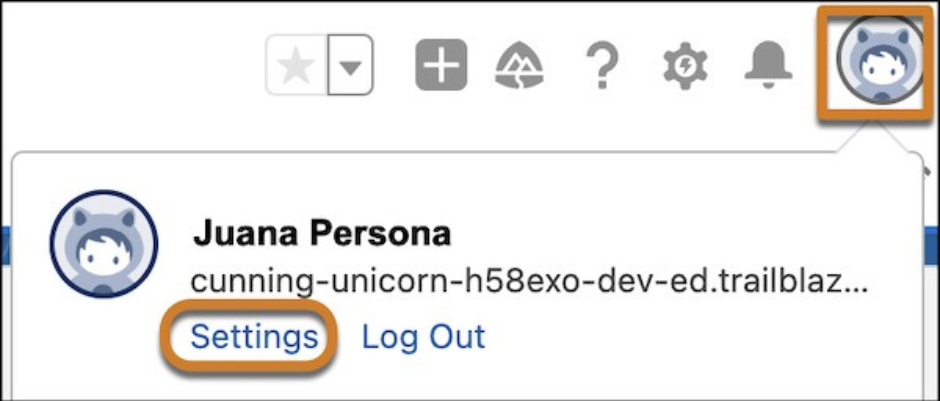
Thank you for reading this post, don't forget to subscribe!1. At the top of any Salesforce page, click your image, and then click Settings.
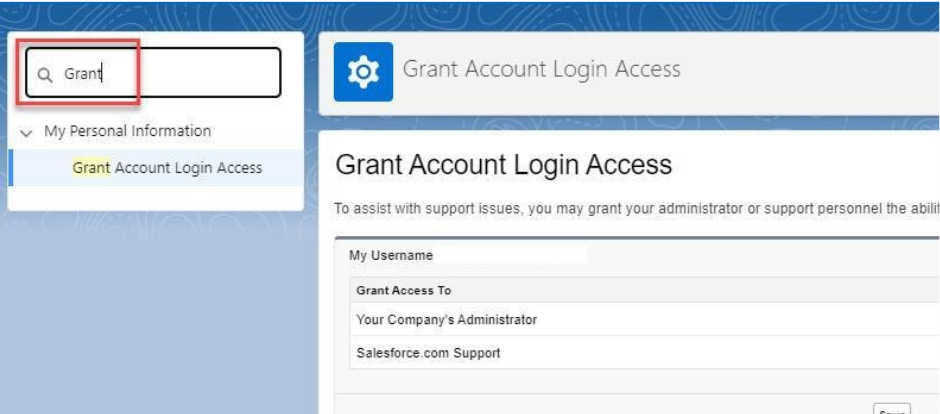
2. In the Quick Find box, enter Grant, and then select Grant Account Login Access.
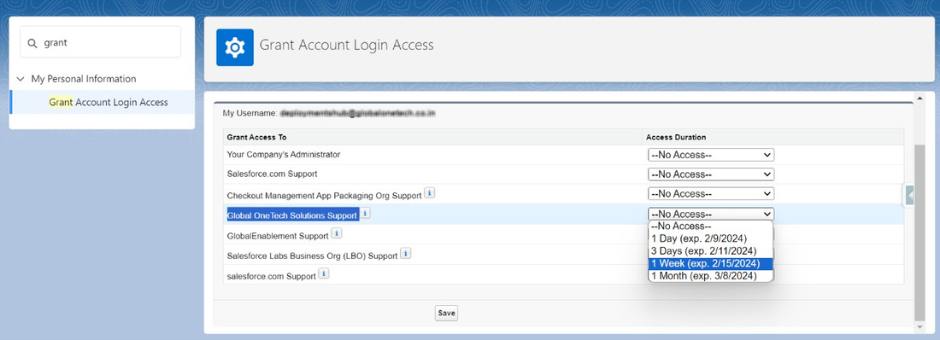
3. To set the access expiration date for Sastorm Software Info. Pvt. Ltd., choose a value from the Access Duration picklist.
4. Click Save.
Note: It is recommended to set the Access Duration to one week for technical escalations. It can be extended later if needed.


