

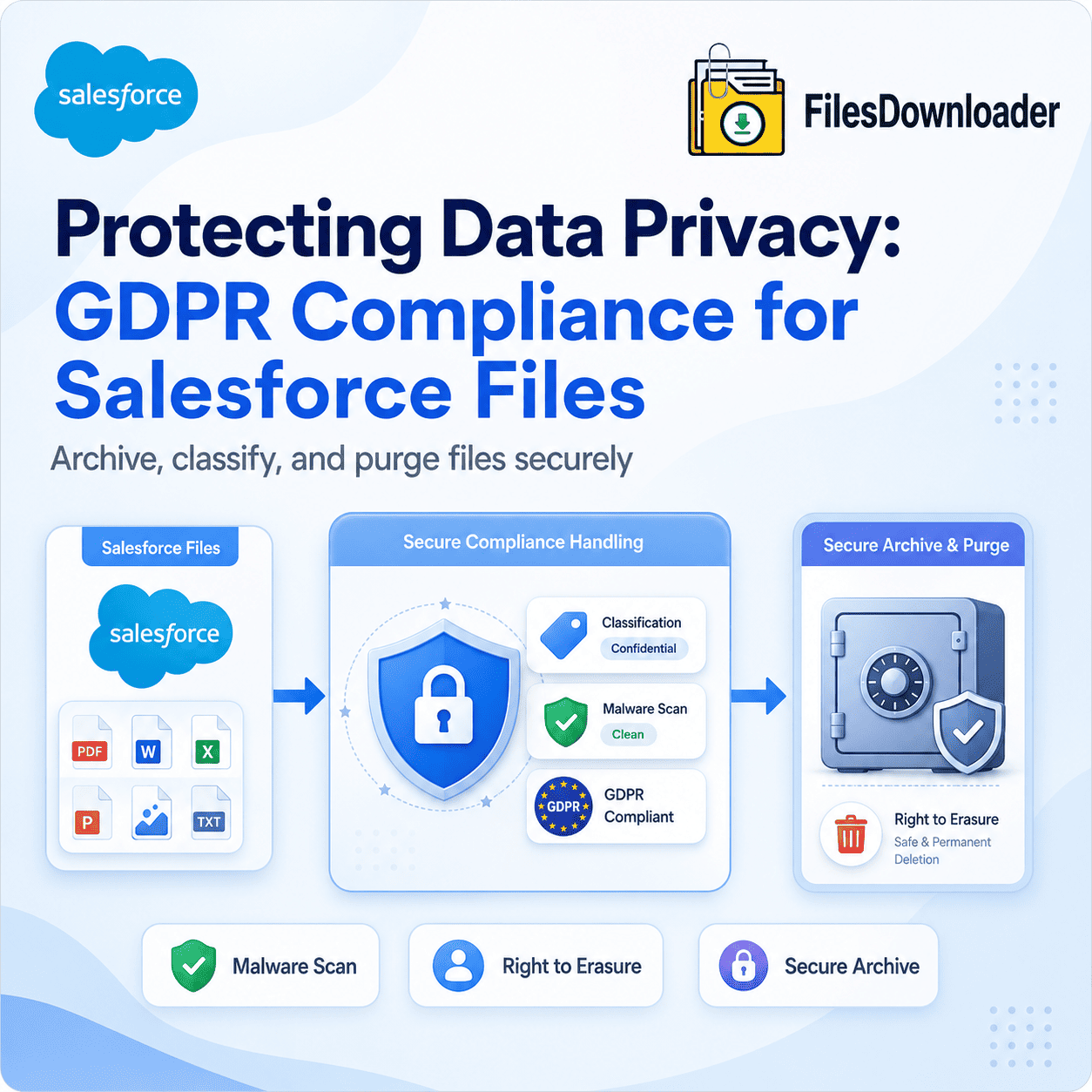


Effective Salesforce GDPR file management is essential in 2026 because personal data often exists inside files, attachments, PDFs, and ContentVersion records. Because personal data often “hides” in PDFs, images, and CSV attachments, you must implement a strategy that includes Malware Scanning (new in Spring ’26), Data Classification for Files, and Automated Right to Erasure for related
ContentVersionrecords. In 2026, the most effective way to manage this is using Files Downloader to archive files to a GDPR-compliant external vault before executing a permanent purge to satisfy “Right to be Forgotten” requests.
In 2026, GDPR compliance is no longer just about deleting a Contact record. Regulators now look at the entire data footprint, including the unstructured data stored in Salesforce Files. If you delete a customer’s record but leave their passport scan or signed contract in your ContentVersion history, you are in technical breach of the “Right to Erasure.”
Why Salesforce GDPR File Management Matters
Most Salesforce GDPR strategies focus on fields (Names, Emails, SSNs). However, files are often the largest repository of sensitive data. A strong Salesforce GDPR file management strategy must also address sensitive data hidden inside files and attachments.
- The “Hidden” PII: Personal data frequently hides in free-text notes, PDF invoices, and email attachments.
- The Audit Trail Problem: Standard Salesforce Weekly Exports provide files named by ID, making it impossible to quickly locate a specific person’s documents during a Subject Access Request (SAR).
- The Spring ’26 Update: Salesforce has introduced a new “Delete Salesforce Files” permission, allowing Admins to grant deletion rights more granularly. While this helps with cleanup, it also increases the risk of accidental data loss if not governed by a strict policy.
Implementing “Privacy by Design” for Files
Under GDPR Article 25, you must integrate data protection into your file management lifecycle. For Salesforce, that means creating a clear lifecycle for how files are stored, classified, archived, and deleted.
A. Data Classification for Files
Just as you tag fields as “Sensitive” or “Private,” you should use Data Classification for your file objects. In 2026, use Salesforce Flows to automatically tag files based on their parent record (e.g., any file attached to a “Medical Record” Case is automatically tagged as “Highly Sensitive”).
B. Native Malware Scanning (Spring ’26 Feature)
As part of the Spring ’26 Security Suite, Salesforce now offers native malware scanning for file uploads. Ensuring this is active is a key part of the “Security of Processing” (Article 32), protecting your Org from data breaches initiated via malicious attachments.
C. The “Right to be Forgotten” Workflow
When a customer exercises their right to erasure, you must delete their files.
- Locate: Use a SOQL query to find all
ContentDocumentLinkrecords associated with the individual.
- Locate: Use a SOQL query to find all
- Archive: Use Files Downloader to export the files with original filenames to a secure, GDPR-compliant “Cold Storage” archive (like a localized SharePoint or encrypted AWS bucket).
- Purge: Permanently delete the files from Salesforce to reclaim storage and ensure no “ghost data” remains for the AI agents to scan.
Maintaining Data Portability (Article 20)
GDPR requires that you provide a customer’s data in a “structured, commonly used, and machine-readable format.”
- The Challenge: Sending a customer a ZIP file of 500 files named
068...does not meet the “machine-readable” or “structured” requirement.
- The Challenge: Sending a customer a ZIP file of 500 files named
- The Solution: Use an automated hierarchy export to provide the customer with an organized folder (e.g.,
Customer_Name > Invoices > Contract.pdf). This satisfies the transparency requirement and builds trust.
- The Solution: Use an automated hierarchy export to provide the customer with an organized folder (e.g.,
Comparison: Native UI vs. GDPR-Compliant Archiving
| Feature | Standard Salesforce UI | GDPR-Compliant Archive |
| Searchability | Difficult (ID-based) | Easy (Name-based) |
| Erasure Proof | Manual Log | Automated Audit Trail |
| Data Minimization | Kept indefinitely | Auto-purged on Schedule |
| Portability | Flat ZIP | Organized Hierarchy |
| Malware Protection | Basic | Advanced Spring ’26 Scan |
Conclusion
Privacy compliance is no longer just a legal requirement it has become a trust signal for customers.
In 2026, privacy is a feature, not a burden. By cleaning your files for Agentforce and implementing automated monthly backups, you don’t just avoid fines you build a “Source of Truth” that customers and regulators can trust.
Is your Org ready for a GDPR audit?
Don’t let sensitive data hide in your attachments. Start your Free Trial of Files Downloader and automate your privacy-first file strategy today.