



What Is ContentDocumentLink in Salesforce? Full Guide With Files Downloader
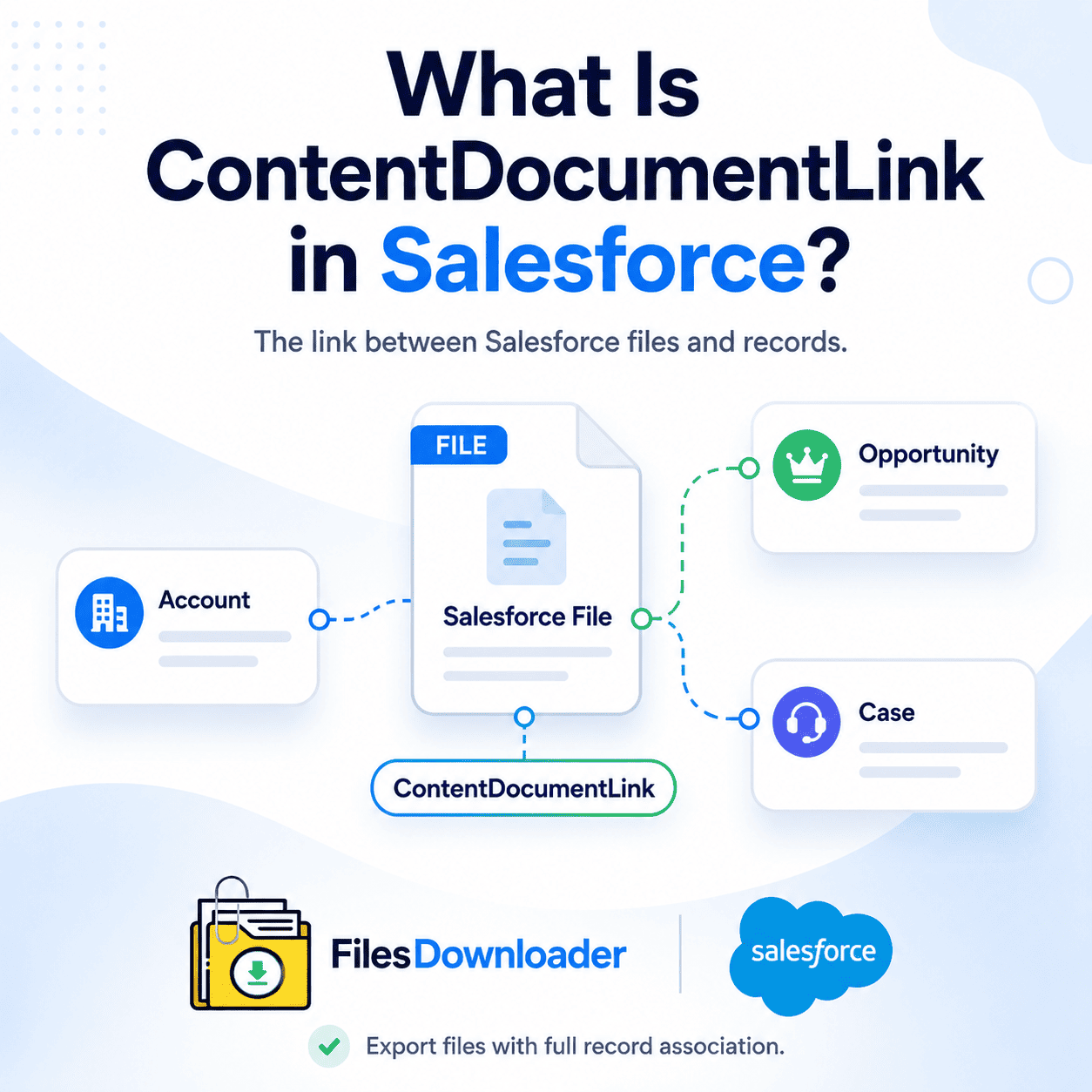
What Is ContentDocumentLink in Salesforce? The ContentDocumentLink object is the connection between a file stored in Salesforce Files and the Salesforce records that point to that file—the invisible link between a file and the accounts, opportunities, cases, or custom object records you associate with it. If you’re a Salesforce admin building a file export strategy, running storage cleanup, or planning a data migration, knowing what is ContentDocumentLink is important. This is used directly by Files Downloader to provide accurate filtered bulk file exports with the full record association. Salesforce Data Model Explained: What Is ContentDocumentLink
Thank you for reading this post, don't forget to subscribe!To fully answer what is ContentDocumentLink in Salesforce, it helps to understand the three-object model that makes up Salesforce Files.
The Three Collaborating Objects
Salesforce Files storage is based on three related objects.
ContentDocument: The parent record that represents the file itself with top-level metadata.
ContentVersion: The object that contains the actual file data, the version number, and file-specific metadata such as title, file type, and file size.
ContentDocumentLink: The junction object that creates the relationship between a ContentDocument and any Salesforce record it is shared to.
That’s the essence of ContentDocumentLink in Salesforce: a record that exists solely to manage file-to-record associations.
What is ContentDocumentLink Functionally?
It is a linking record that says “this file is linked to this record.” One ContentDocument can have multiple ContentDocumentLink records, one for each record it is linked to. That’s what makes Salesforce Files more powerful than the legacy Attachment model: One file can be shared across multiple records without duplication.
ContentDocumentLink Key Fields
The important fields on ContentDocumentLink are:
ContentDocumentId: The unique ID of the file.LinkedEntityId: The Salesforce record ID the file is linked to (e.g., Account, Case, Opportunity).ShareType: Controls the user’s permissions (Viewer, Collaborator, or Owner share).Visibility: Determines whether the file is shared internally or with external community users.
Understanding what is ContentDocumentLink in Salesforce is at the field level allows for accurate SOQL filtering when exporting files.
Why ContentDocumentLink is Important for Exporting Files
Knowing exactly What Is ContentDocumentLink in Salesforce? has a direct impact on how you construct an export query. An admin who knows how to utilize ContentDocumentLink can write much more targeted exports than one who only queries ContentVersion. Querying ContentVersion alone will return the file data, but you lose the record association; you won’t know which account, case, or opportunity each file belongs to. It’s the ContentDocumentLink that retains that context.
Export Without ContentDocumentLink Fails to Retain Record Links
If you export without considering ContentDocumentLink, you will end up with orphaned files—meaning files that exist in your destination storage but are completely unlinked from the Salesforce records where they originated. That context is non-negotiable for audits, migrations, and compliance archiving.
SOQL Query Structure with ContentDocumentLink
The proper SOQL export query for Salesforce Files joins ContentVersion to ContentDocument and filters by parent record using ContentDocumentLink. That’s the most practical use of a ContentDocumentLink—a filter and join point to allow selective export. For instance, you can filter by LinkedEntityId to export only the files associated with a closed opportunity, a targeted approach that native tools can’t match.
How Files Downloader Uses ContentDocumentLink
Files Downloader is developed with a solid understanding of ContentDocumentLink in Salesforce and its association between files and records. Every feature in the export workflow reflects that understanding. All Files Downloader exports keep the record association provided by ContentDocumentLink, so no file arrives at its destination without its full context.
SOQL Query Export With ContentDocumentLink
Files Downloader allows for custom SOQL Query Export that admins can write directly against ContentVersion, ContentDocument, and ContentDocumentLink. Filter by LinkedEntityId to include only files on specific records, by ShareType to control which link types are included, or by date and object type to limit the scope of the export. ContentDocumentLink becomes an active, useful filtering tool in each of your targeted export runs.
Every Export – Record Association Kept
Files Downloader queries ContentDocumentLink for each export, so the relationship of each file to its parent Salesforce record travels with the file. Metadata like owner, object type, linked entity, and record association gets sent to the destination – be it Google Drive, OneDrive, SharePoint, Dropbox, or local storage.
Mass Export From Any List View
Files Downloader is able to process both standard and custom list views. It allows admins to target specific record sets – closed opportunities, resolved cases, inactive accounts – and export all ContentVersion files associated through their ContentDocumentLink relationships, all in one batch.
Supports ContentVersion and Legacy Attachments
ContentDocumentLink only applies to the modern Salesforce Files model; legacy Attachments use a simpler direct parent relationship instead. Files Downloader supports this model as well as legacy Attachment records, so orgs with a mixture of file storage models don’t have to maintain two separate export workflows.
All File Types Supported
PDFs, images (.jpg, .png), Word docs, spreadsheets, and most standard file formats — Files Downloader works with every file type that ContentDocumentLink links to a record, in its original format, without conversion or loss of quality.
Salesforce ContentDocumentLink Critical Use Cases
Migrations: Any org moving to a new Salesforce instance or a different CRM needs to track ContentDocumentLink associations throughout the process. Files Downloader exports files with the record association intact, so migrations do not create orphaned file archives.
Compliance Audits: Auditors need files that can be traced back to the records that created them. what is ContentDocumentLink in salesforce? It provides the audit trail between a file and the record it came from, and Files Downloader keeps it on every export.
Storage Cleanup: When doing a targeted storage cleanup, ContentDocumentLink allows admins to filter files by the records they are tied to, exporting only those files that are tied to closed or inactive records while leaving active files untouched.
Data Pipelines: Exported Salesforce files delivered into SQL Server, Excel, or downstream analytics pipelines must be associated with records for the data to be useful. Files Downloader keeps the ContentDocumentLink relationship active so exported files retain their original context.Post-Export Workflow
When files are exported using Files Downloader and ContentDocumentLink associations are preserved, the files arrive at the destination with full metadata intact. Every file is cleanly tied back to the record it came from.
Once verified, you can delete the original ContentVersion and what is ContentDocumentLink in salesforce? It records from Salesforce to immediately free up storage space. Exported data can also be imported into SQL Server or Excel for audit and reporting purposes.
Want to export Salesforce files with full ContentDocumentLink data?
Files Downloader provides admins with the fastest, most accurate way to export Salesforce Files with ContentDocumentLink record association fully intact – every time, at any volume.
[Book a Free Demo] | [View Pricing] | [Install on AppExchange]