

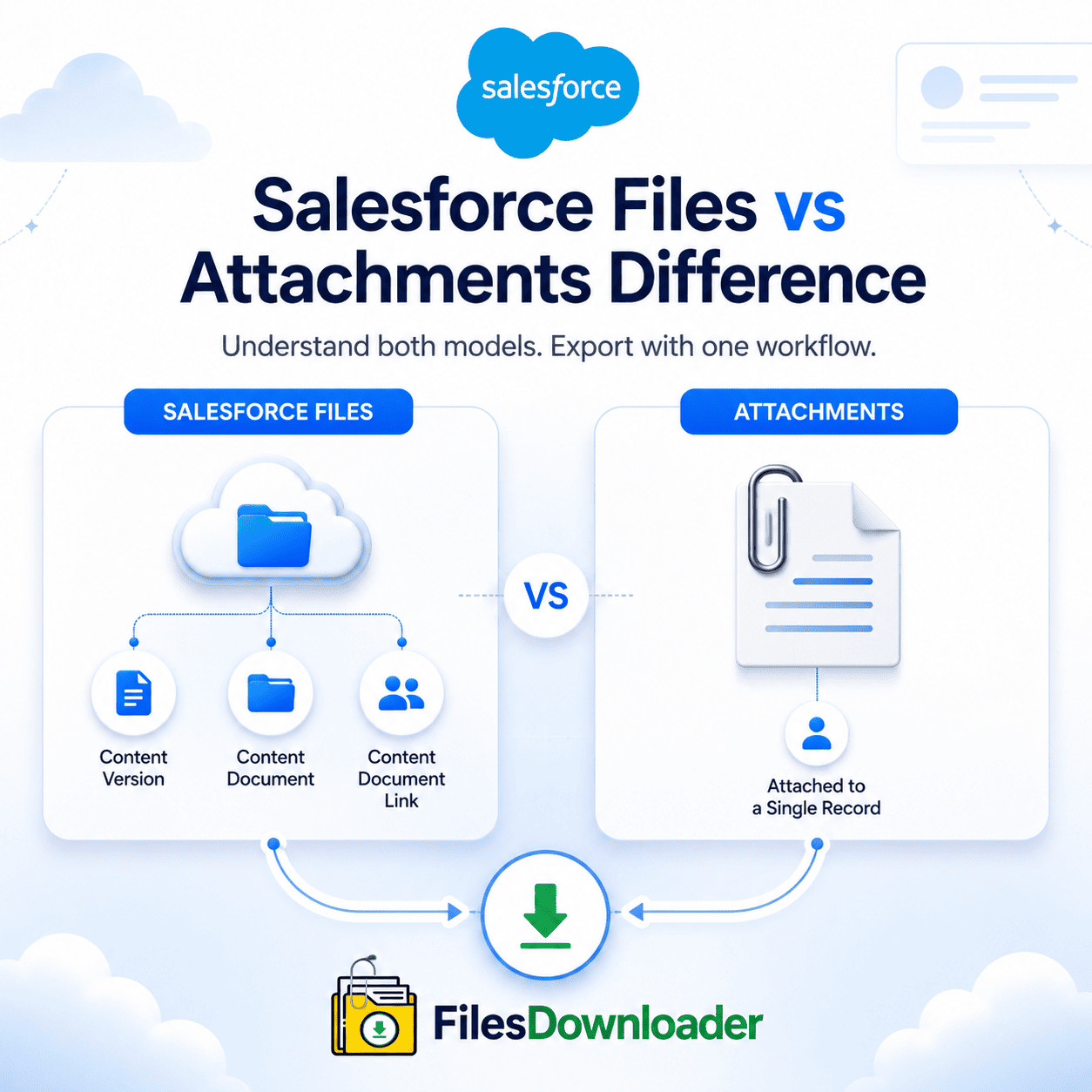


Files vs Attachments in Salesforce: Complete Guide With Files Downloader
As an admin that works with storage, planning a migration or trying to create a clean file export process understanding the Salesforce Files vs Attachments Difference is key. The two models store files differently, behave differently in SOQL queries, and use storage in ways that are not always obvious from the Salesforce UI. Files Downloader does both – giving teams one consistent export workflow, no matter which side of the Salesforce files vs attachments divide their org lives on. This guide clearly separates both models, explains why this is important for storage management, and shows how Files Downloader fills the gap.
Thank you for reading this post, don't forget to subscribe!The key difference between Salesforce Files and Attachments
Salesforce files vs. attachments difference based on the data model and object structure and when each were introduced.
What is Salesforce Attachment?
The older of the two is the legacy Attachment object. It saves files directly to a parent record – an Account, Contact, Opportunity or Case – with a direct parent-child relationship. Every record of type Attachment contains the file body, file name, content type and a pointer to its parent. Attachments are easy, record specific and cannot be shared across multiple records without duplication.
What is Salesforce Files (ContentVersion)?
Salesforce Files launched as part of the Salesforce Files platform stores files using a three-object model: ContentDocument (the file’s parent object), ContentVersion (the file’s version), and ContentDocumentLink (the junction object that connects the file with one or more records). At this level there is a big difference – ContentVersion records can be related to multiple records at once, versioned without duplication and shared across the org via libraries.
Why the Difference Is Important for Storage
The Salesforce Files vs Attachments Difference directly impacts storage consumption and the ability to export files. ContentVersion supports versioning, meaning that each version of the same file is a separate storage entry. Legacy Attachments count once per record, but can’t be shared so the same document attached to ten records is ten times the space. Both models can cause considerable storage consumption in mature organizations.
Difference Between Salesforce Files and Attachments SOQL and Export Implications
Salesforce files vs attachments difference changes how admins query files and export files. These are not interchangeable objects – they require different SOQL queries and different export logic.
Searching Attachments in
You can query Legacy Attachment records directly:
SELECT Id, Name, Body, ParentId FROM Attachment
The Body field contains the file content in blob format. Attachments are easier to query, but structurally they are less flexible.
SOQL query on ContentVersion
To store files with Salesforce Files, you need to query ContentVersion and use ContentDocumentLink to get the record associations:
SELECT Id, Title, VersionData, ContentDocumentId FROM ContentVersion
The difference in query complexity is real – ContentVersion requires more joins but provides more metadata and record association detail.
How Files Downloader Solves the Salesforce Files vs Attachments Challenge
Files Downloader was created to handle the Salesforce files vs attachments difference in one unified export process for both sides. Files Downloader handles Attachments and ContentVersion records in the same process, so admins don’t have to set up two processes.
One Export Workflow for Both Object Types: The Salesforce files vs attachments difference does not mean two export problems with Files Downloader. If your org uses legacy Attachments, modern ContentVersion records, or a combination of both, Files Downloader exports all matching files in a single bulk step — no separate tools, no separate processes.
Export Cross Model SOQL Query: Files Downloader supports custom SOQL Query Export against ContentVersion, ContentDocumentLink and Attachment objects . Admins who understand the Salesforce Files vs Attachments Difference can write targeted queries for each object type and run them through the same export workflow, filtering by date, size, object or record status on either side.
Metadata preserved by both models: One of the practical implications of the Salesforce files vs attachments difference is that the metadata for each object is structured differently. Files Downloader maintains the owner, object type, record association, and file name for both object types so nothing is lost no matter what model the file came from.
Folder Structure and File Names Remain the Same: When exporting ContentVersion records or legacy Attachments, Files Downloader preserves the original file names and folder structures at the destination – Google Drive, OneDrive, SharePoint, Dropbox, or local storage. Whether the items are Salesforce files or attachments does not impact the quality or organization of the exported results.
Supports all file types: Files Downloader supports all file types from both sides of the Salesforce files vs attachments difference in their original format, with no conversion and no quality loss: PDFs, images (.jpg,.png), Word docs, spreadsheets and most standard attachment formats.
Salesforce Files vs Attachments: Use Cases Where the Difference Matters
Migrations: When you are migrating to a new Salesforce org or another CRM, understanding the difference between Salesforce files and attachments is critical. ContentVersion files are different than Attachments, because they are treated differently and any migration tool that treats them the same could lose file associations or metadata.
Storage Audits: The way storage is calculated is different between Salesforce files and attachments. If a storage audit does not break out the consumption of ContentVersion and Attachment, it will provide an incomplete picture.
Compliance Archiving: Both file types are often required to be archived in regulated industries. Files Downloader exports from both sides of the Salesforce files vs attachments difference to a compliant external destination in a single step.
Bulk Cleanup: A lot of organizations have years of accumulated data, with Attachment and ContentVersion records adding to storage consumption. Files Downloader does a clean job of cleaning up both object types just as it does in export.
After Export
Files Downloader exports records from both sides of the Salesforce files vs attachments difference. Once exported, they arrive at the destination with original names, folder structure and metadata intact. Teams can import exported data into SQL Server or Excel for audit or reporting purposes.
Salesforce Files vs Attachments Difference Ready to Export?
Don’t run two object models in different processes. Files Downloader provides admins with a single, fast, filtered workflow to manage the Salesforce files vs attachments difference end to end every time. Try Files Downloader today to easily export files from any storage model your org uses.
[Book a Free Demo] | [View Pricing] | [Install on AppExchange]