

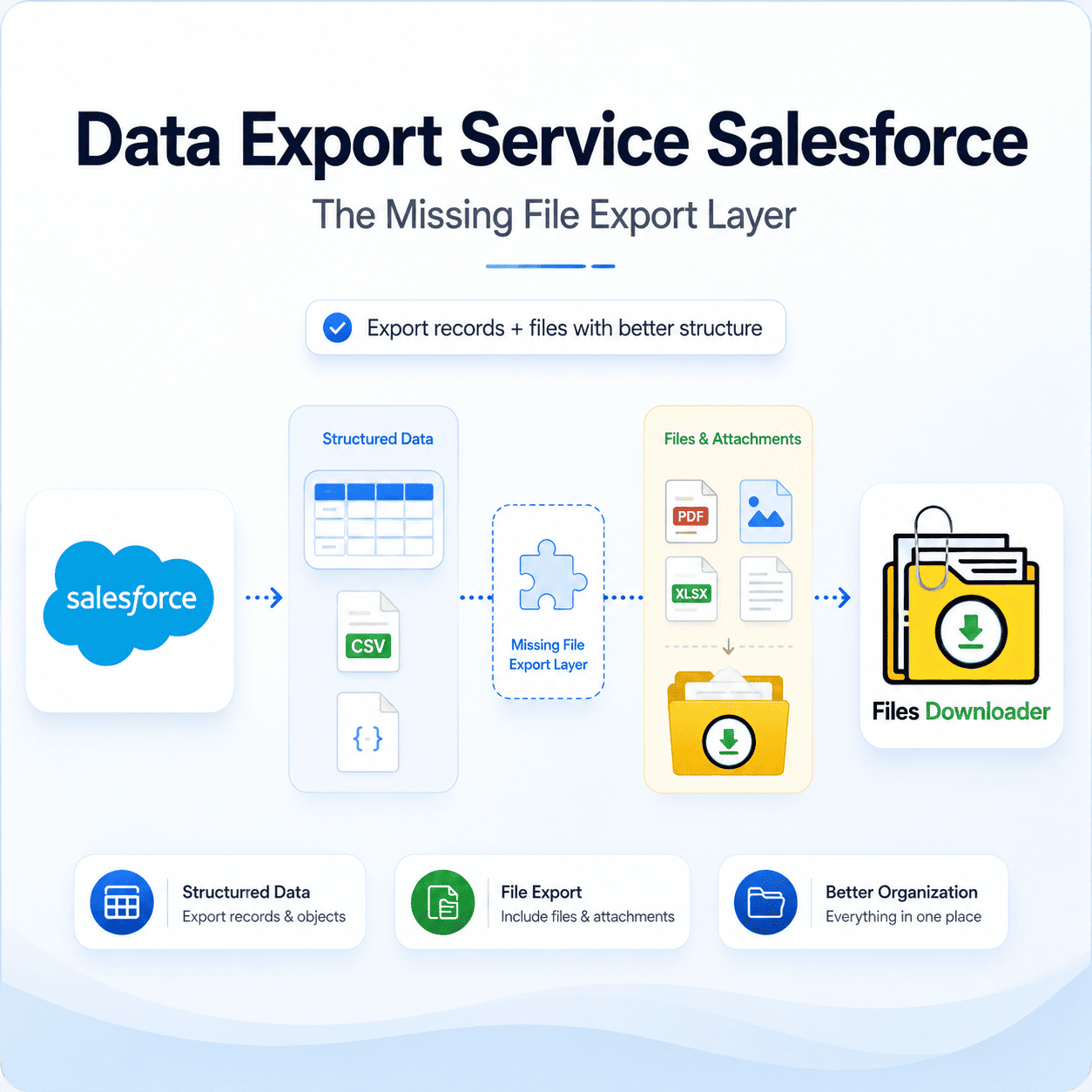


Salesforce Data Export Service: The Missing File Export Layer
Salesforce admins can easily export structured records using the native Data Export Service Salesforce, but it wasn’t designed to handle files. Run it today, and you will get a clean backup of your object data, but your actual attachments and ContentVersion files will remain completely out of scope. That structural gap is precisely where most enterprise export headaches begin.
If you’ve ever run a native weekly export, you know the pain: you get highly structured row-and-column data in one folder, and a massive pile of unlinked, orphaned files in another, with no built-in way to easily connect the two. This is the most common version of the “Zip File Scavenger Hunt”—technically solvable with complex mapping, but practically exhausting for any data team.
Salesforce’s Native Data Export Service Limitations
The native Data Export Service Salesforce is optimized almost exclusively for record-level data—generating automated CSVs for Accounts, Opportunities, Contacts, and custom objects. It does not export files, attachments, or rich metadata alongside those records as a unified package, forcing admins to treat file management as a completely separate, manual chore.
That architectural separation introduces real operational risk:
Asymmetrical Backups: Record data gets backed up cleanly every week, while critical files are left un-archived for months or years.
Storage Pinch: Because files accumulate without an automated offloading path, orgs routinely bump into File Storage Limit Exceeded warnings.
Data Drift: Over time, the relationship between your offsite record databases and your live file library drifts apart, making historical records incredibly difficult to piece back together.
The Missing Piece: File-Level Export on the Same Standard
To secure a true backup, your organization needs a robust file export layer that mirrors the reliability of your native data export Service Salesforce, but operates on ContentVersion records instead of standard object rows. This requires an enterprise file exporter capable of executing bulk extractions with advanced filtering and full metadata retention, moving away from slow, one-off manual downloads.
This is exactly where a dedicated file exporter fills the functional gap. The tool natively supports standard and custom list views, allowing admins to export mass files and attachments from any list view just as easily as they would export standard object rows using native utilities.
What a Complete File Export Looks Like
Addressing this gap requires more than a simple web download button—it requires a bona fide extension of your Salesforce data management stack.
Bulk Speed with Selective Accuracy
With integrated SOQL Query Export support, data teams can write and execute their own queries to pull the exact live data they need instantly. You can filter and extract only the specific files that meet your criteria in a single run. This brings the same filtered precision to your file library that you already enjoy when exporting targeted record sets.
You can download files and attachments from Salesforce in the exact binary format they were originally uploaded. Extract Salesforce files in bulk from standard and custom objects simultaneously without needing separate tools for different object types. It is the quickest way to data export service Salesforce files without devolving into a manual process.
Structure and Metadata Preservation by Default
Just as the native data export service Salesforce maintains field relationships, an advanced file export layer ensures that critical metadata—such as owner, object type, and record association—is permanently stamped onto every single file.
File Format Versatility
The export engine natively handles all file variations, ensuring your context remains intact across your entire storage footprint:
Documents & Contracts: PDFs, Word docs (
.docx), and spreadsheets.Media Assets: High-resolution images (
.jpg,.png,.gif).System Archives: Compressed zip files, text logs, and custom file extensions.
The tool preserves original file names and complex folder structures upon export, ensuring your local directory matches the exact architecture of your live data export service Salesforce model. No file category is left behind, completely filling the precise gap left open by native tools.
Why it Matters Beyond a Single Export
Implementing a dedicated file export layer is much more than a one-off fix; it fundamentally upgrades how your team manages data migrations, regulatory compliance audits, and disaster recovery strategies.
Frictionless Migrations & Backups: This architecture gives your file data the same structural reliability that record data already possesses. When both systems are exported using the same standards, reconciling your archives is a simple task rather than a manual cross-check.
Downstream Data Pipelines: Because the exported files are consistently structured, it becomes incredibly simple to import Salesforce data into SQL Server, AWS, or Excel post-export. File metadata fields like original owner and parent object are ready to use out of the box, turning file exports into a first-class component of your data pipeline.
If you are a Salesforce admin or a data professional who relies heavily on native tools for records but lacks an equivalent solution for documents, this file exporter closes the loop on your broader data export Service Salesforce and file management requirements.
Stop Wasting Time with Manual File Handling
Without an automated layer, file handling remains stuck in an exhausting, manual loop while record data enjoys full automation. By introducing targeted object and field filtering to your file downloads, you can simplify complex data extractions and save your team days of post-export mapping.
Don’t leave half of your data behind. Try Files Downloader today to experience a complete, metadata-mapped file export that perfectly complements your native Salesforce data backups.
[Book a Free Demo] | [View Pricing] | [Install on AppExchange]