



Salesforce admins often face one major headache: how to bulk export Salesforce attachments efficiently without losing metadata or folder structure. Salesforce doesn’t provide a native way to bulk download attachments, making migrations, backups, and compliance audits a time-consuming challenge.
Thank you for reading this post, don't forget to subscribe!This is where Files Downloader, a Salesforce files Export Tool, becomes a lifesaver. It’s designed to bulk export Salesforce files, attachments, and Notes quickly, securely, and without losing metadata.
Challenges When You Bulk Export Salesforce Attachments
Many Salesforce orgs still rely on legacy Notes & Attachments, even after switching to Salesforce Files. The common challenges admins face include:
- No bulk export for Notes & Attachments – Standard Salesforce list views and reports cannot download attachments in bulk.
- Manual downloads are slow and error-prone – Clicking through hundreds or thousands of records is time-consuming.
- Metadata loss risk – Parent object, owner, file name, and timestamps can be lost during manual exports.
These challenges make bulk exporting Salesforce attachments a persistent pain point for admins.
Step-by-Step Guide: Mass Export Salesforce Files & Attachments
Using Files Downloader, bulk exporting Salesforce files and attachments is simple and fast. Follow these steps:
- Install Files Downloader from Salesforce AppExchange
- Login to Salesforce
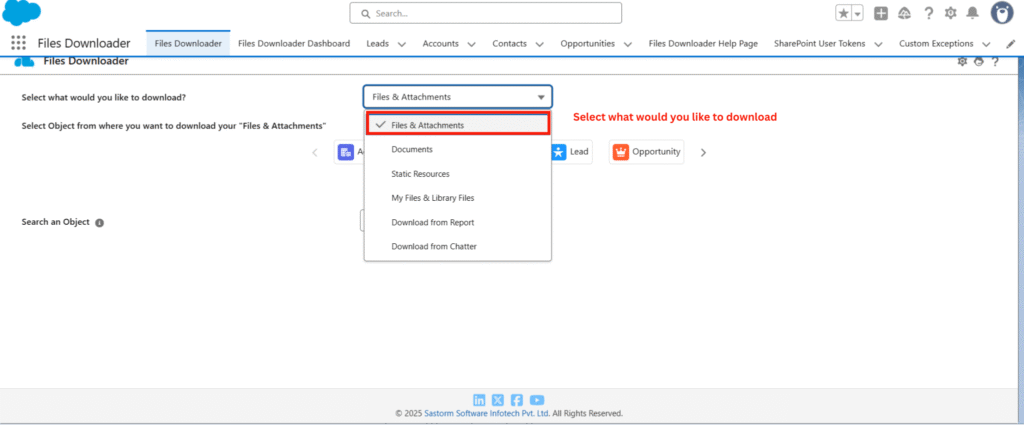
- Select Files & Attachments
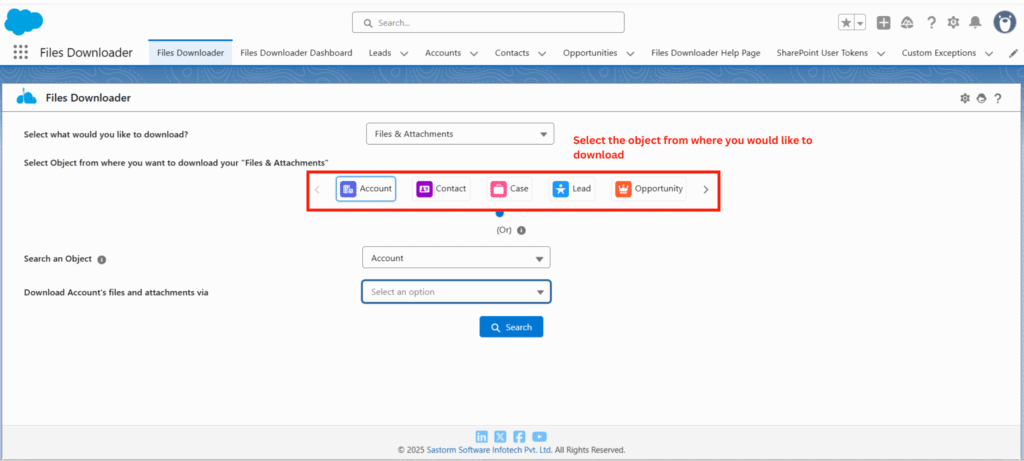
4. Select the Salesforce object linked to your files, such as Account, Contact, Case, or any custom object.
5 Choose Download Method
- List Views – Filter by standard or custom list views.
- SOQL Query – Use a query to target specific records.
- Related Record – Export attachments linked to a specific record.
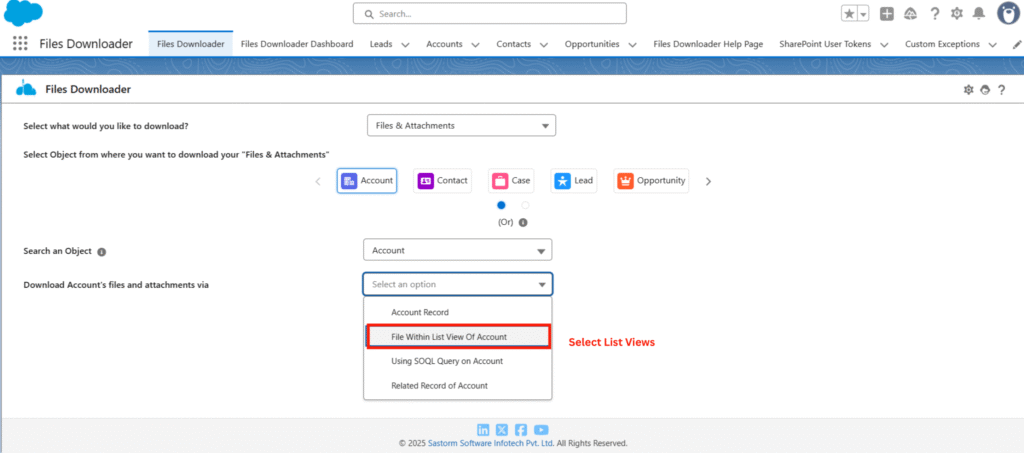
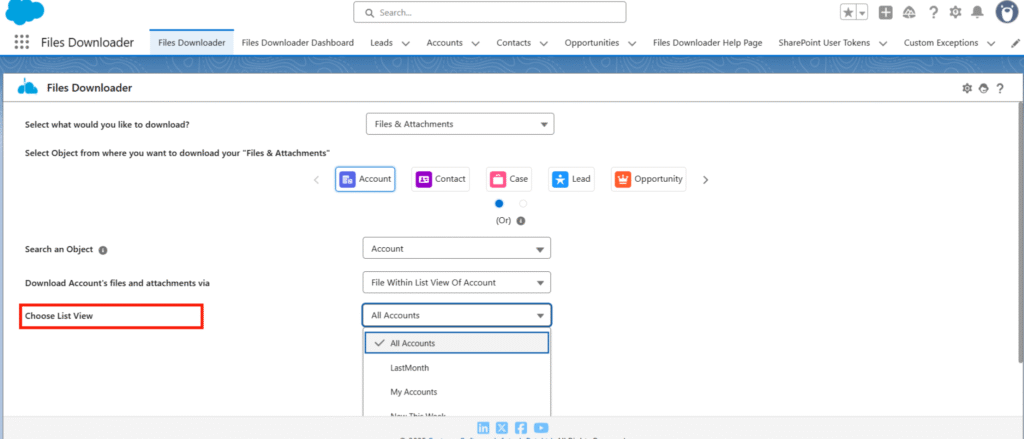
6. Pick the list view you want to export files from.
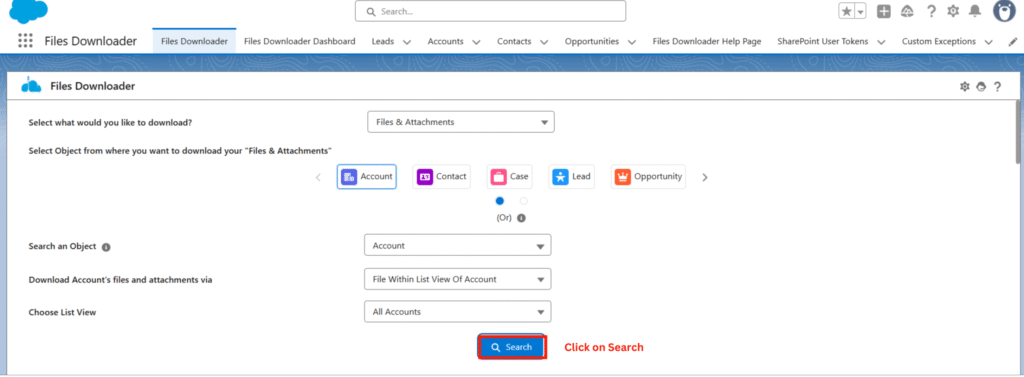
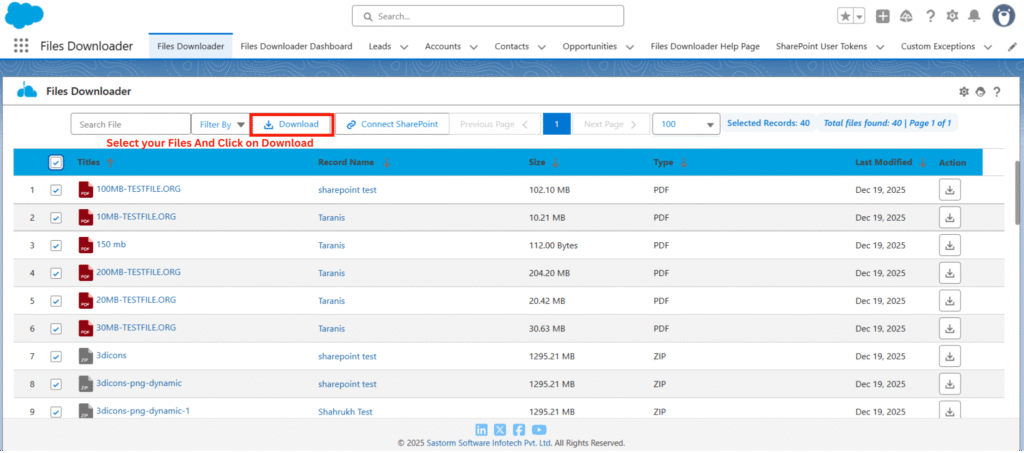
7. Click Search to see all available files, Notes, and attachments. Select the ones you want to download.
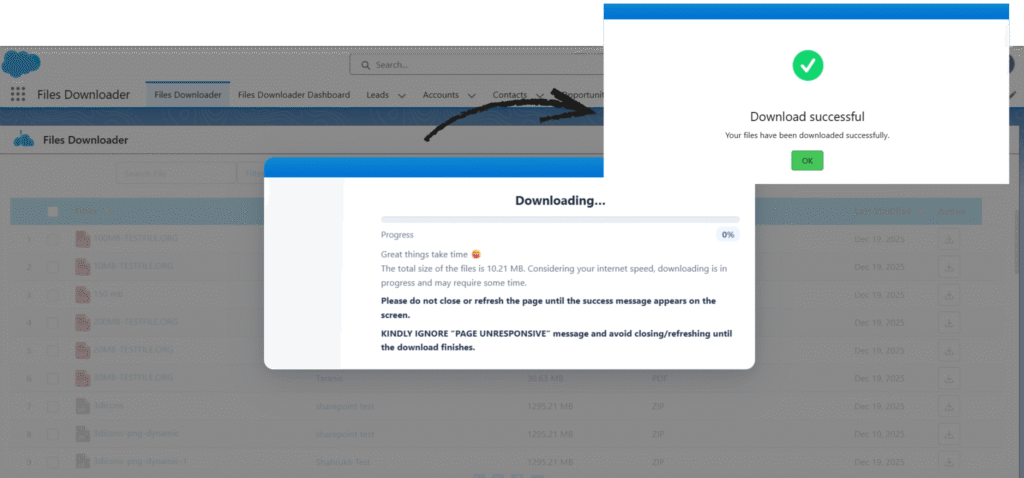
8. Hit the Download button. Files Downloader will download all selected files in seconds.
9. You will also get a CSV file containing metadata for easy tracking.

Why Files Downloader is the Best Salesforce Bulk Export App?
Files Downloader is a Salesforce-native app that allows admins to download Salesforce attachments and Notes in bulk without coding or complex workarounds.
Key Features & Benefits
- Bulk export Salesforce Notes & Attachments
Download files from list views with filters by object, date range, or owner. Perfect for large-scale exports. - Preserve file names, folder structure, and metadata
Maintain original file organization and metadata like parent records, creation dates, and owners. - Supports all standard & custom Salesforce objects
Works with Accounts, Contacts, Opportunities, Cases, and any custom objects. - Dashboard & tracking reports
Monitor downloads in real-time and generate reports for auditing and compliance. - Secure & compliant
Fully Salesforce-native, keeping your data inside Salesforce with no external exposure.
Conclusion
For Salesforce admins, bulk downloading legacy Notes & Attachments no longer has to be a painful, manual process. Files Downloader is the best Salesforce bulk export app, helping admins download Salesforce files and attachments in bulk securely, efficiently, and without losing critical metadata. Organizations that need to bulk export Salesforce attachments can save significant time using a secure Salesforce-native solution like Files Downloader.