

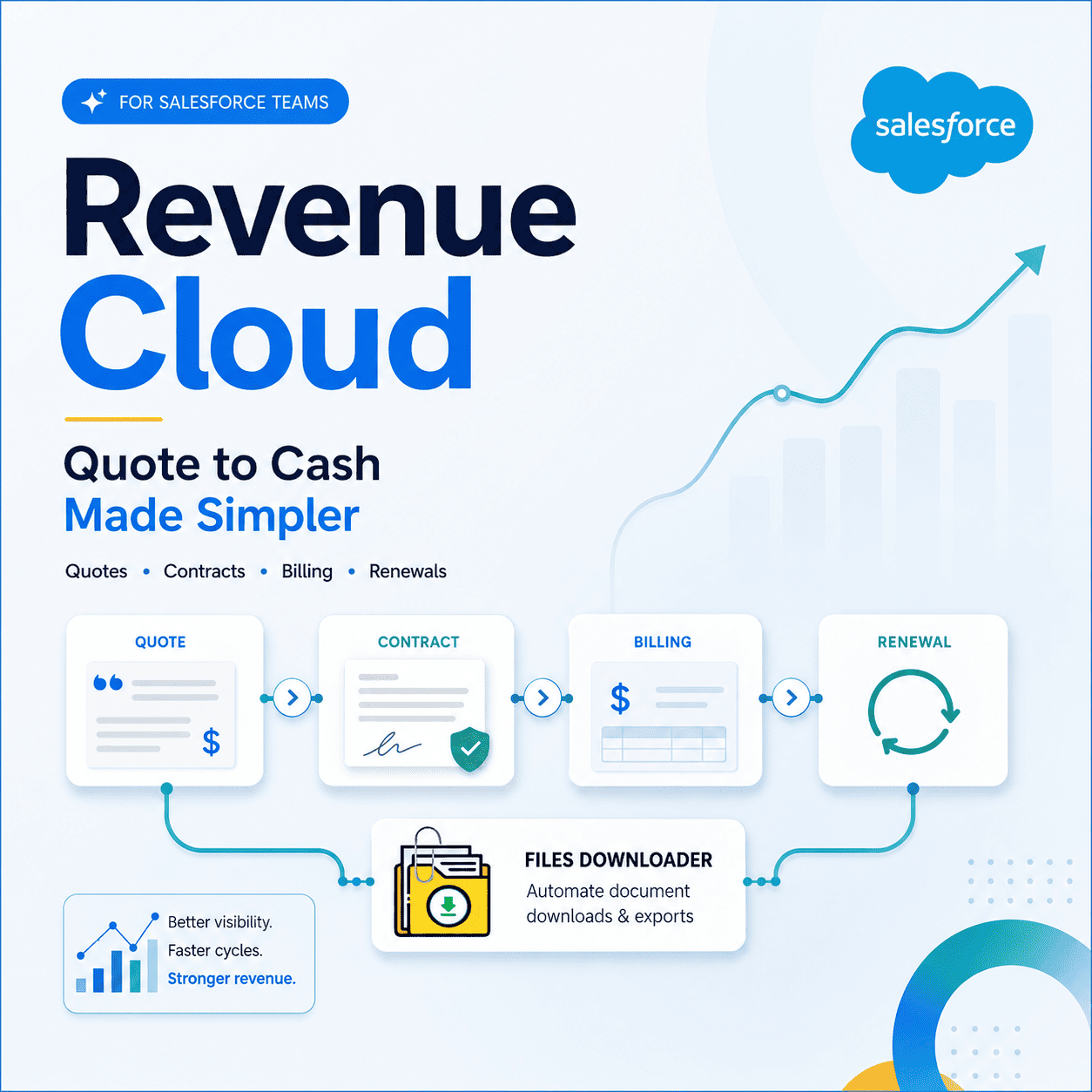


The Revenue Cloud Playbook for Salesforce Teams Who Are Ready to Fix Their Revenue Process
Most businesses hit a point where their revenue operations no longer scale cleanly. Quotes take ages. Contracts are in email threads. Missed renewals. Finance spends the last week of every quarter doing a manual reconciliation of billing records that should have reconciled themselves automatically.
Thank you for reading this post, don't forget to subscribe!Revenue Cloud is the Salesforce solution built to solve it, if any of that sounds familiar. This guide covers what Revenue Cloud actually is, what it includes, how it works inside a Salesforce org, and what teams need to know before implementing it — including how document management fits into the revenue process in ways most implementation guides miss.
What Is Revenue Cloud?
Revenue Cloud is Salesforce’s native, end-to-end revenue management platform built on the Salesforce platform. It combines the tools, processes, and data models that sales, finance, and operations teams need to manage the entire revenue lifecycle from the initial quote generated by a sales rep to contract execution, billing, and renewal in one single, unified system.
Revenue Cloud is not one product. It is a set of capabilities that includes:
Configure Price Quote
Contract Lifecycle Management
Subscription Management
Billing
Revenue Intelligence
Each component solves for a specific stage of the revenue process, and collectively they remove the handoff friction, data gaps, and manual reconciliation that burden teams running revenue operations on disparate tools.
The fundamental promise of Revenue Cloud is simple. From quoting, contracting, billing, to recognition and renewal, every part of the revenue lifecycle takes place within Salesforce, tied to the same data, and accessible by every team that needs it.
Why Revenue Operations Fail Without Revenue Cloud
Most businesses that don’t use Revenue Cloud run their revenue process on a patchwork of disconnected tools.
A CRM for the pipeline.
A pricing spreadsheet.
CPQ quoting tool alone.
A contract management platform that is not integrated with Salesforce.
A billing system managed independently by finance.
Every transfer from one of these tools to the other is a point of failure. The CPQ tool is not updated when a pricing change is made in the spreadsheet. There is no automatic billing once a contract is signed. The contract platform’s renewal date is not visible to the Salesforce account owner. And that’s where it results in missed renewals, billing errors, revenue leakage, and a finance team spending days on manual reconciliation each and every quarter.
Revenue Cloud bridges those gaps by bringing every stage of the revenue process to one platform—eliminating the handoffs, the manual work, and the visibility gaps that cost businesses time and money.
Revenue Cloud’s Core Components
Configure Price Quote
CPQ is the quoting engine at the beginning of the Revenue Cloud journey. It provides sales reps with a structured, rules-driven process to configure products, apply pricing logic, calculate discounts within set limits, and generate professional quotes without spreadsheets or manual pricing lookups. Every quote that leaves the sales team is accurate, policy compliant and consistent across the entire organization.
Contract Lifecycle Management (CLM)
CLM allows to create, negotiate, execute and store contracts after a closed deal. With Revenue Cloud, CLM integrates directly with quote and opportunity data already in Salesforce — eliminating the need to re-enter information captured during the sales process to generate contracts.
This is where document management comes into play, directly. Contracts are pieces of paper. They’re generated, reviewed, redlined, signed, stored and versioned — and every iteration needs to be tracked inside Salesforce’s ContentVersion architecture and associated with the correct account and opportunity records.
Subscription Management
Subscription Management manages the complexity of recurring revenue models — add-ons, upgrades, downgrades, pauses, and cancellations — tying together product catalog data, contract terms, and billing schedules so that each subscription change is automatically translated into the right billing result without manual intervention.
Billing
Revenue Cloud Billing automates invoicing and payment collection, using contract and subscription data directly. Invoices are generated automatically from what was agreed rather than finance having to create them manually from contract PDFs. It deals with one-off charges, recurring cycles, usage-based billing, and multi-element arrangements split across billing schedules.
Intelligence About Income
Revenue Intelligence is the analytics layer that combines pipeline, booking, billing, and renewal data into a single view. Leadership gets instant insight into forecast accuracy, renewal rates, churn risk, and expansion revenue without a data team manually putting together reports from multiple disconnected source systems.
How Document Management Ties to Revenue Cloud
One of the most underappreciated aspects of Revenue Cloud is the number of documents it produces and manages. Every quote generates a PDF. All contracts pass through several versions in the course of negotiation. Every signed agreement needs to be saved against the correct Salesforce records. Every invoice is a document that finance, sales and the customer all need access to.
In a Revenue Cloud implementation, all of these documents are stored in Salesforce’s ContentDocument and ContentVersion architecture:
Quote PDFs are saved as ContentVersion records attached to Opportunity records.
Contract documents are stored as ContentVersion records associated with Contract records.
Invoice PDFs are stored as ContentVersion records that are associated with Account and billing records.
Just uploading files to records is not enough to handle this volume of documents cleanly. It involves keeping original file names, preserving folder structure, accurately tracking versions through ContentVersion, and being able to export or migrate document sets when necessary — for audits, system backups, or platform migrations.
And this is where Files Downloader becomes a useful tool for Revenue Cloud teams. As document volume increases in the quote-to-cash process, it’s important that files are exportable, auditable, and migratable without losing metadata — owner, object type, record association — that makes them traceable to their source records.
Files Downloader provides Revenue Cloud teams the ability to export bulk files and attachments from any list view across standard and custom objects, retain original file names and folder structure, retain full metadata on every export, and run targeted SOQL Query Exports against ContentVersion records to pull exactly the documents they need — without writing code or involving a developer.
Common Revenue Cloud Implementation Challenges
Data quality problems
Revenue Cloud is only as powerful as the data it has access to. If your product catalog is inconsistent, the pricing rules are not documented, or the contract terms are different from one deal to the next with no clear policy framework, these problems are immediately evident at the time of implementation. Cleaning up product, pricing and contract data prior to configuration saves lots of time and cost.
Cross-Team Coordination
Revenue Cloud impacts more teams than most implementations anticipate. Sales wants quick quotes. Billing accuracy is wanted by Finance . Legal wants to control contracts. Renewal sight needs ops. One of the most critical and often underestimated requirements of a successful Revenue Cloud implementation is that all four teams are aligned on process design, approval workflows, and data ownership before configuration begins.
Document Management at Scale
Revenue Cloud generates large quantities of documents from day one. As the implementation scales the ContentDocument and ContentVersion architecture accumulates quote PDFs, contract versions, signed agreements, invoices and renewal documents. Teams that don’t plan for document management, storage auditing and export capability from the get-go often run into File Storage Limit Exceeded errors and document retrieval issues within the first year of going live.
Integration Complexity
Revenue Cloud needs to integrate with ERP systems, payment gateways, tax engines and data warehouses. Each integration introduces implementation complexity and necessitates careful planning to ensure data flows correctly between Salesforce and external systems without manual reconciliation filling the gaps.
Who Gains the Most from Revenue Cloud
Sales teams: CPQ helps sales teams create accurate quotes faster and with fewer approval cycles. Sales reps spend less time looking up prices, and more time in conversations with customers that move deals forward.
Finance teams: Billing and Subscription Management frees up capacity in finance teams at month and quarter end by eliminating the need to create invoices, track payments and reconcile revenues.
Legal and contracts teams: CLM helps legal and contracts teams by keeping contract generation, negotiation and execution inside Salesforce, instead of spread across email threads and shared drives. ContentVersion ensures that each redline is tracked and the final signed version is correctly identified and stored against the right account record.
Revenue ops teams: Revenue ops teams can get a single view of the whole quote-to-cash process — renewal forecasting, expansion tracking, churn risk identification, billing trend analysis — all without having to stitch together data from multiple disconnected systems.
Salesforce admins: Salesforce admins have the benefit of using a single platform rather than juggling integrations between a CRM, a separate CPQ tool, a contract management system, and a standalone billing platform.