



Document Management System in Salesforce: What Breaks and How to Fix Process Flow
Most Salesforce teams don’t know that their document management system process flow is broken until something makes them look. A cut-off date for immigration. A compliance audit. A storage error that halts new uploads cold. Suddenly the files that have quietly accumulated across thousands of records become an urgent, tangled problem and native Salesforce tools are not built to untangle them.
Thank you for reading this post, don't forget to subscribe!This blog breaks down exactly how a Salesforce document management system process flow works, where it fails and how Files Downloader gives admins and data teams a clean, fast, code-free fix at every stage.
Why Your Document Management System Process Flow Is Not Working in Salesforce
Salesforce was created for CRM. File management was an afterthought. And it’s evident, especially when teams are trying to export, migrate or audit their documents at scale.
The Zip File Treasure Hunt
If you do a native Salesforce bulk export your files will come in a compressed zip archive. No more folder structure. Original file names are replaced by auto-generated strings. All associations are totally removed. Your team opens the archive, and faces hundreds of anonymous files with no map back to the records they came from.
This is not a small annoyance. It turns a one-day task into a week-long recovery project for teams dealing with migrations, audits, or system backups.
Absence of Discriminative Filtering
Native Salesforce export is a binary process. You can’t filter your document management system process flow by object type, owner, date range, or custom field without writing a manual SOQL Query Export — a task most admins aren’t equipped or empowered to do on their own. The result: massive over-exports, mountains of irrelevant files, and hours of post-download sorting that should never have been needed.
ContentVersion Mayhem
ContentVersion records keep track of every version of every file. Every update to a document creates a new ContentVersion, while the old ones stay in storage. Native exports don’t reliably get the latest version. Teams regularly download old files, use them in client deliverables or compliance packages, only to find out the mistake after the damage is done.
File Storage Limit Exceeded Without Warning
Salesforce cloud storage fills up as files accumulate across records over months and years. Once it hits the ceiling, the platform throws a File Storage Limit Exceeded error and stops all new uploads. To clear that storage, you need a precise audit of what is in your document management system process flow nearly impossible without the right export tool.
What a Healthy Document Management System Workflow Actually Looks Like
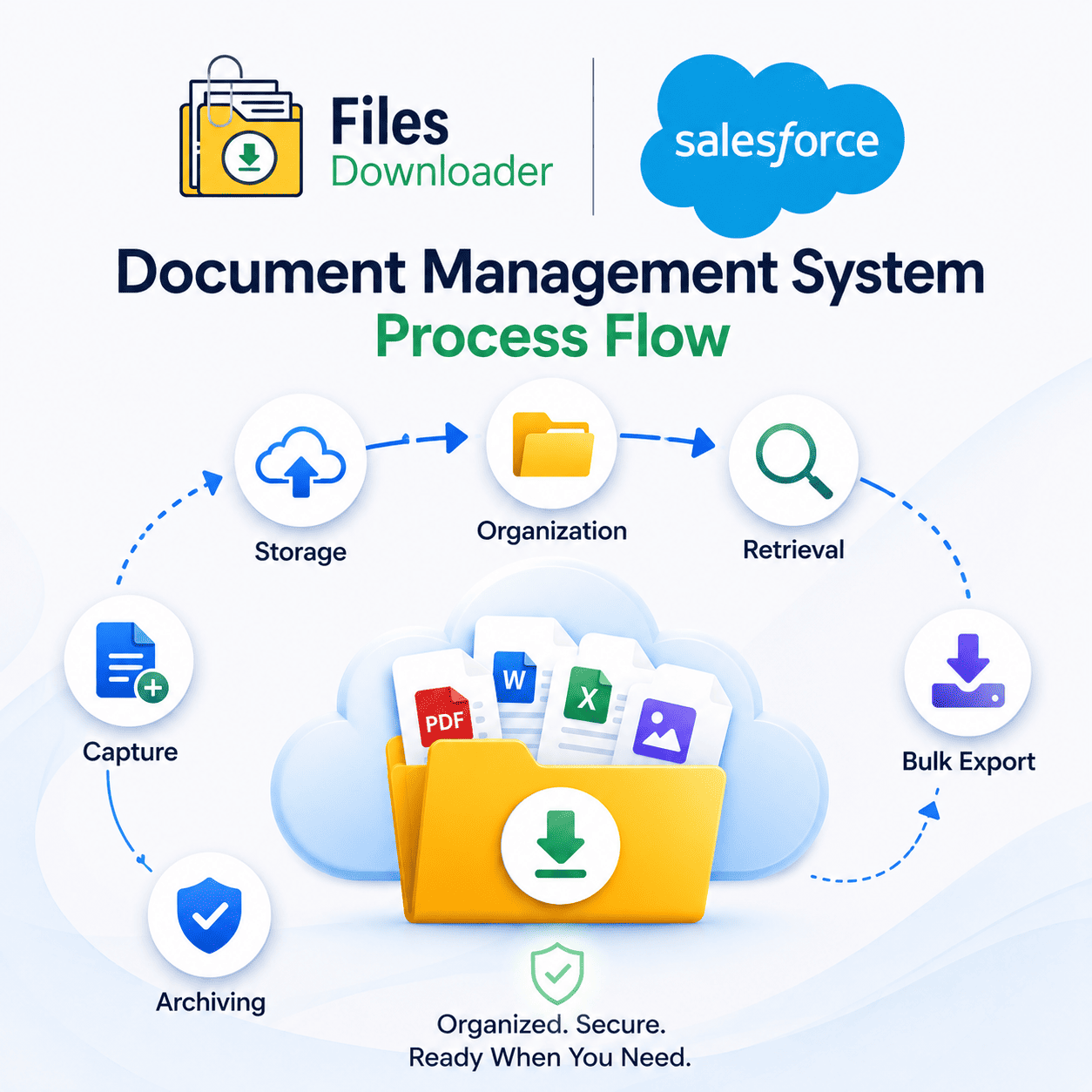
A well-functioning document management system process flow moves through six distinct stages:
Capture
Storage
Organization
Retrieval
Bulk Export
Archiving
Each stage has to work cleanly for the next to work properly.
Most Salesforce orgs have the first three stages fairly under control. The files have been uploaded. Records are created. The ContentDocument and ContentVersion objects do their work behind the scenes.
The process flow breaks down at stage five — bulk export — and that breakdown sends shockwaves through migration, backup, and compliance at every stage that follows. Fixing the export stage does not just solve one problem. It makes every activity downstream faster, cleaner and more reliable.
How Files Downloader Corrects Your Document Management System Process Flow
Files Downloader is a Salesforce-native app on the AppExchange that integrates directly into your existing org and redefines your document management system process flow at export time – no code, no middleware, no developer support.
Here’s how that looks in practice:
Bulk Export from Any List View in One Click
Files Downloader supports standard and custom Salesforce list views – no new reports, no additional configuration. Open any list view, select your records, and export mass files and attachments in one action. It’s the quickest way to get files out of Salesforce without complicated tools, data loaders, or custom scripts. What took a developer half a day now takes an admin five minutes.
Save All Your Native Export Kills
Original file names are preserved when Files Downloader exports your files. The folder structure has been maintained. Each file has metadata (owner, object type and record association). Your document management system process flow is no longer summed up in a flat, anonymous pile. It ends with a clean, organized, ready-to-use export.
This is especially important during migrations, audits and system backups where traceability is not optional.
Filter and Extract Only What You Want
Files Downloader offers you selective filtering not seen in native Salesforce. Filter your export by object, record, owner, date range or any custom field in your org. This extracts only the files that are relevant to your criteria, in a single step. No overexport. No sorting after download. No time was lost.
For teams that need surgical precision, the built-in SOQL Query Export tool takes it a step further. Create and execute your own query within the app to retrieve the most current ContentVersion records, filter for specific field values, or extract files from intricate multi-object relationships—all without leaving Salesforce.
All File Types. Every Object. No Exceptions.
Files Downloader supports all file types – PDFs, images in .jpg and .png format, Word documents, Excel spreadsheets and more. It works with standard and custom Salesforce objects, and is a must-have file exporter for Salesforce admins and data teams working with orgs of any size or complexity.
The clean, structured output also makes it much easier to import Salesforce data into SQL Server or Excel after export – saving hours of manual data sorting that would otherwise follow every bulk download.