

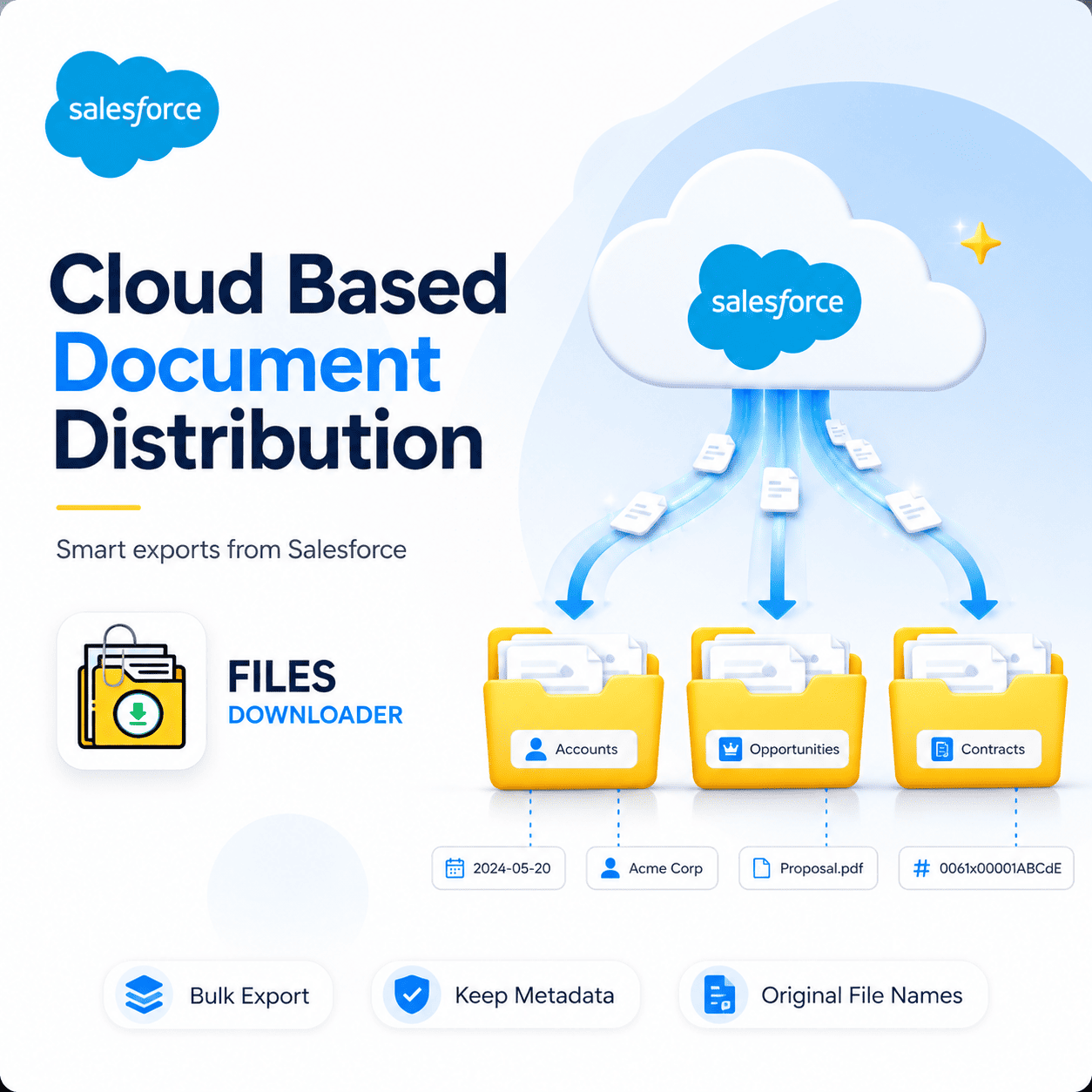


The Smartest Way To Manage Cloud Based Document Distribution Right From Salesforce
Your team lives in Salesforce. Your documents should, too. However, for most admins and data teams, cloud based document distribution inside Salesforce is anything but smooth. Files pile up on unstructured records. Exports are back as un-named zip archives. Metadata is lost in transit. And every bulk download becomes a manual sorting job that eats hours nobody has. Files Downloader solves this problem once and for all – giving you fast, clean, governed document distribution straight out of your Salesforce org, with zero developer involvement.
Thank you for reading this post, don't forget to subscribe!Why Cloud Based Document Distribution Fails Inside Salesforce
Salesforce is made for customer data. But native tools always fail when it comes to getting your files out cleanly and spreading them at scale. Every week, hours are wasted in the gap between what teams need and what Salesforce natively delivers.
Zip File Scavenger Hunt — Export directly from Salesforce and you get an unwieldy, unorganized archive with no filenames, logical folder structure, or record context. Figuring out which document goes with which record is a project in itself.
No Selective Filtering — Gets worse without Selective Filtering. Export cannot be filtered by file type, object, owner or date. You scroll through everything to find the five files you really need. Every export is a bulk download you didn’t want.
File Storage Limit Exceeded — File Storage Limit Exceeded warnings are appearing with no warning and no clear audit trail. You know the storage is full. You just can’t identify which records or objects are responsible without deep SOQL Query Export work or developer support.
No Metadata Preservation — No Metadata Preservation means that once documents leave Salesforce they are no longer tied to their context. Owner, object type, record association, original file name — all of it vanishes in a standard export, forcing your team to recreate that context on the other side manually.
Files Downloader: Designed for Large-Scale Cloud Based Document Distribution
Files Downloader is the only AppExchange tool built specifically to make cloud based document distribution from Salesforce fast, clean and fully under your control. It works natively in your org — no complex setup, no external platforms, no developer tickets.
Install Open any list view Set your filters Download Every file is right where it should be, in its original format, with every scrap of metadata intact. It could be ten documents or ten thousand. It does not matter. The process is the same and the output is always clean.
Fastest Cloud Based Document Distribution Tool for Salesforce Admins
If your team is facing a migration deadline, a compliance audit, or a storage cleanup that should have been done last quarter, time is of the essence. Files Downloader is the fastest way to export Salesforce files without any complex tools, custom scripts, or third party platforms.
It works with both standard and custom list views, supports every file type your org uses — PDFs, JPGs, PNGs, Word documents, spreadsheets and more — and exports files in the exact original format they were stored in. No translation needed. No reformatting. No surprises .
Export Bulk Files From Any List View With One Click
Choose your records, click export and Files Downloader takes care of the rest. No more manual file hunting. No more record-by-record downloads. No more sorting afterwards. It’s the one-click bulk action every Salesforce admin has wanted but never had natively.
Keep original file names and folder structure
All files are exported with their original file names and folder structures preserved. When the export is finished, you can immediately use your distribution folder — for a migration hand-off, external archive, or compliance package.
Keep All Metadata on Every Export
Owner, Object Type, and Record Association are attached to each file during the whole export process. That way you can export data from Salesforce into SQL Server or Excel and then import the data back in without having to build the context from scratch.
Filter & Extract Only What You Need
No more manual data sorting, save time. Filter and extract only the files relevant to your criteria in one step by object, file type, owner or any field your use case requires. No swollen archives. No additional files.
Run Your Own SOQL Query for Fine Targeting
And you can get the latest ContentVersion data immediately, by creating your own SOQL Query Export and running it directly inside the app. Target objects and fields without writing Apex, raising a developer ticket, or waiting on anyone else. Export All Standard and Custom Objects In Bulk
Files Downloader exports Salesforce files in bulk from Accounts, Contacts, Cases, Opportunities and every custom object in your org. Whatever Salesforce has, Files Downloader can neatly distribute.
Who Uses Files Downloader Every Day
Files Downloader is a must-have file exporter for Salesforce admins and data teams managing high file volumes, tight deadlines, and zero tolerance for data loss.
It’s a perfect fit with the Salesforce data export and file management requirements for all use cases:
Clean org migrations where it’s a must to keep every document and its metadata.
Compliance audits with a complete, structured export of files and full associations of records.
Regular system backups that have to run fast without any human intervention.
Storage cleanup projects that had to rush audit ContentVersion records after hitting File Storage Limit Exceeded.
If your job is to get files out of Salesforce cleanly, reliably and at scale, Files Downloader is built for you.
Start in under 2 minutes
Files Downloader installs directly from the Salesforce AppExchange with no configuration beyond standard package installation permissions. No developer. No setup call. No learning curve. Any Salesforce admin can have their first bulk export up and running in under two minutes.
Begin Exporting Smarter. Spread Cleaner. Faster.
Stop the hours of manual file sorting, broken exports, and loss of metadata in transit. Files Downloader provides your team with a cloud based document distribution process that works – clean files, full metadata, original structure, every time.
[Book a Free Demo] | [View Pricing] | [Install on AppExchange]